After installing the latest firmware, a new Bluetooth pairing is required for the following cameras:
D-Lux 8 — Firmware version 1.7.0 or later
Q3 family — Firmware version 4.0.0
SL3 family — Firmware version 4.0.0
This change is required due to updated EU regulations. Devices sold in the EU must comply with the latest technical standards, which necessitates a renewed Bluetooth pairing.
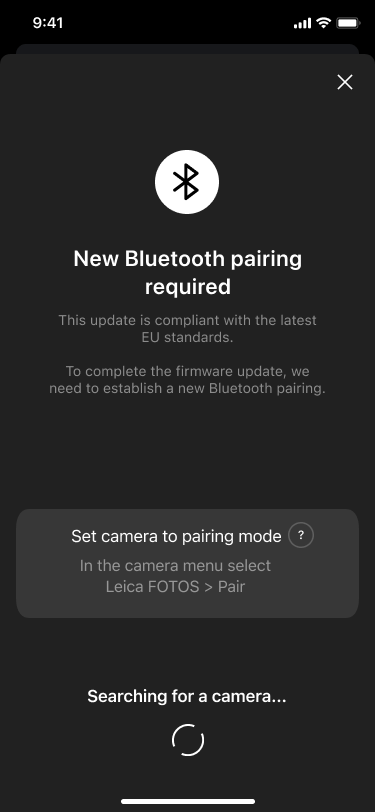
In most cases, Leica FOTOS will automatically detect that a new Bluetooth pairing is required. The app will guide you step by step through the process and help you recreate the pairing.
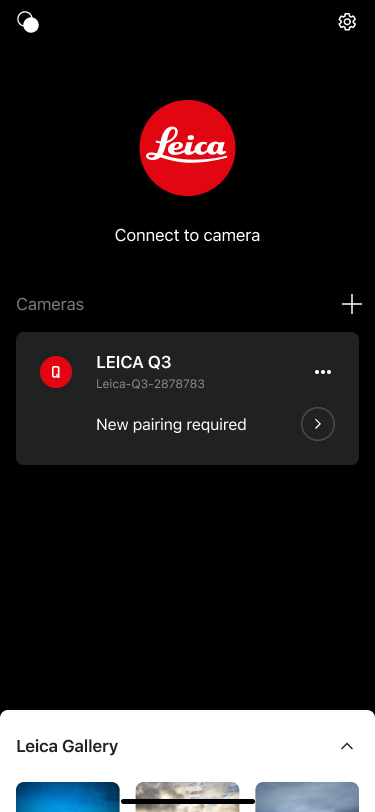
You will be asked to put the camera into pairing mode again.
The app will guide you through updating the pairing without needing to remove the camera from Leica FOTOS first.
After updating your camera from firmware version 3.0.0 or earlier to firmware 4.0.0 connection might fail. Please reset Leica Looks by going to Leica Looks > Restore and try to connect again
If Leica FOTOS does not display the message “New Bluetooth pairing required”, please follow the steps below.
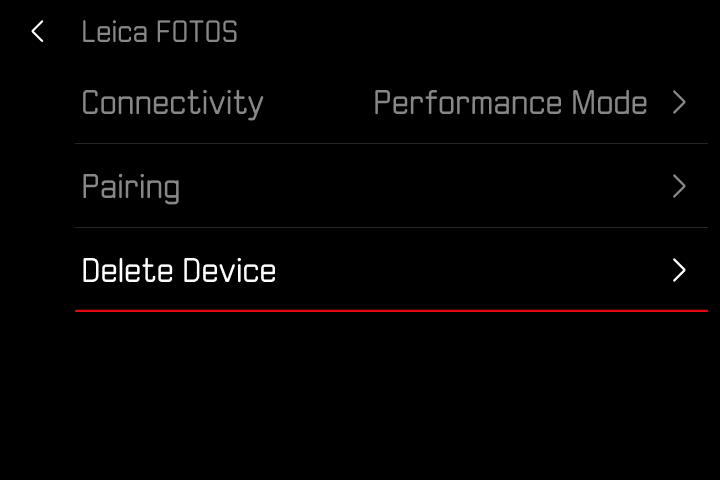
Delete the pairing on the camera
Go to Leica FOTOS > Delete Device on the camera.
Delete the pairing in the smartphone’s Bluetooth system settings
Delete the camera in the Leica FOTOS app
Start pairing on the camera
Go to Leica FOTOS > Pairing on the camera.
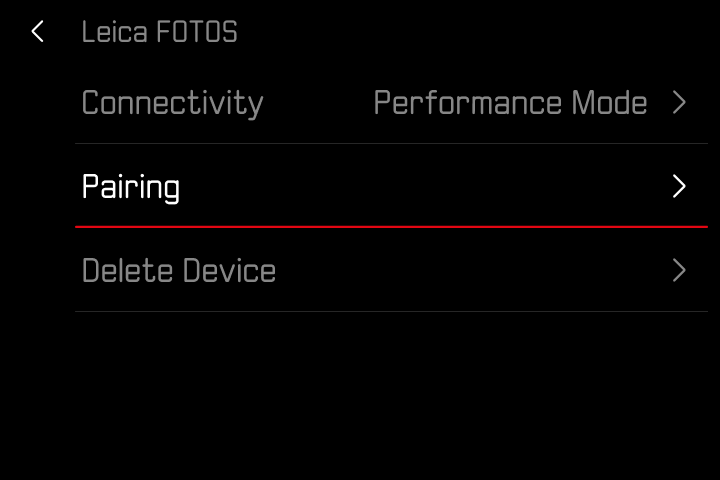
Open Leica FOTOS on your smartphone and follow the on-screen instructions to complete the pairing.
On some Android devices, the Bluetooth pairing request may not appear as a pop-up dialog.
The pairing request may only be shown as a notification in the Notification Center.
If the phone is in Do Not Disturb mode, the pairing request may not be shown at all.
Check your Notification Center for Bluetooth pairing messages.
Make sure Do Not Disturb mode is disabled.
Retry the pairing process.